

<div>

[**English**](README.md)

</div>

## FlClash

[![Downloads](https://img.shields.io/github/downloads/chen08209/FlClash/total?style=flat-square&logo=github)](https://github.com/chen08209/FlClash/releases/)[![Last Version](https://img.shields.io/github/release/chen08209/FlClash/all.svg?style=flat-square)](https://github.com/chen08209/FlClash/releases/)[![License](https://img.shields.io/github/license/chen08209/FlClash?style=flat-square)](LICENSE)

[![Channel](https://img.shields.io/badge/Telegram-Channel-blue?style=flat-square&logo=telegram)](https://t.me/FlClash)

基于ClashMeta的多平台代理客户端，简单易用，开源无广告。

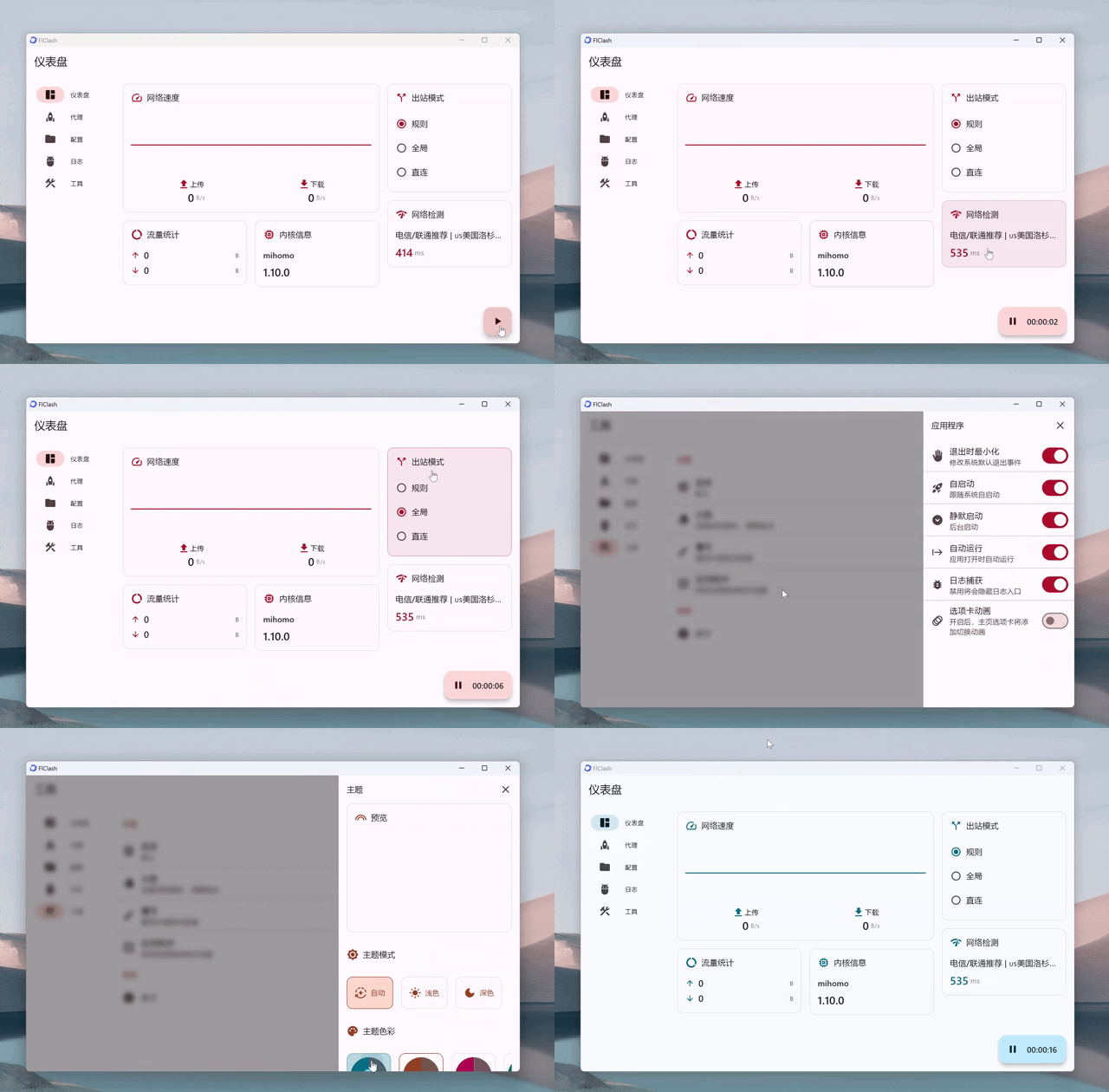
on Desktop:
<p style="text-align: center;">
    <img alt="desktop" src="snapshots/desktop.gif">
</p>

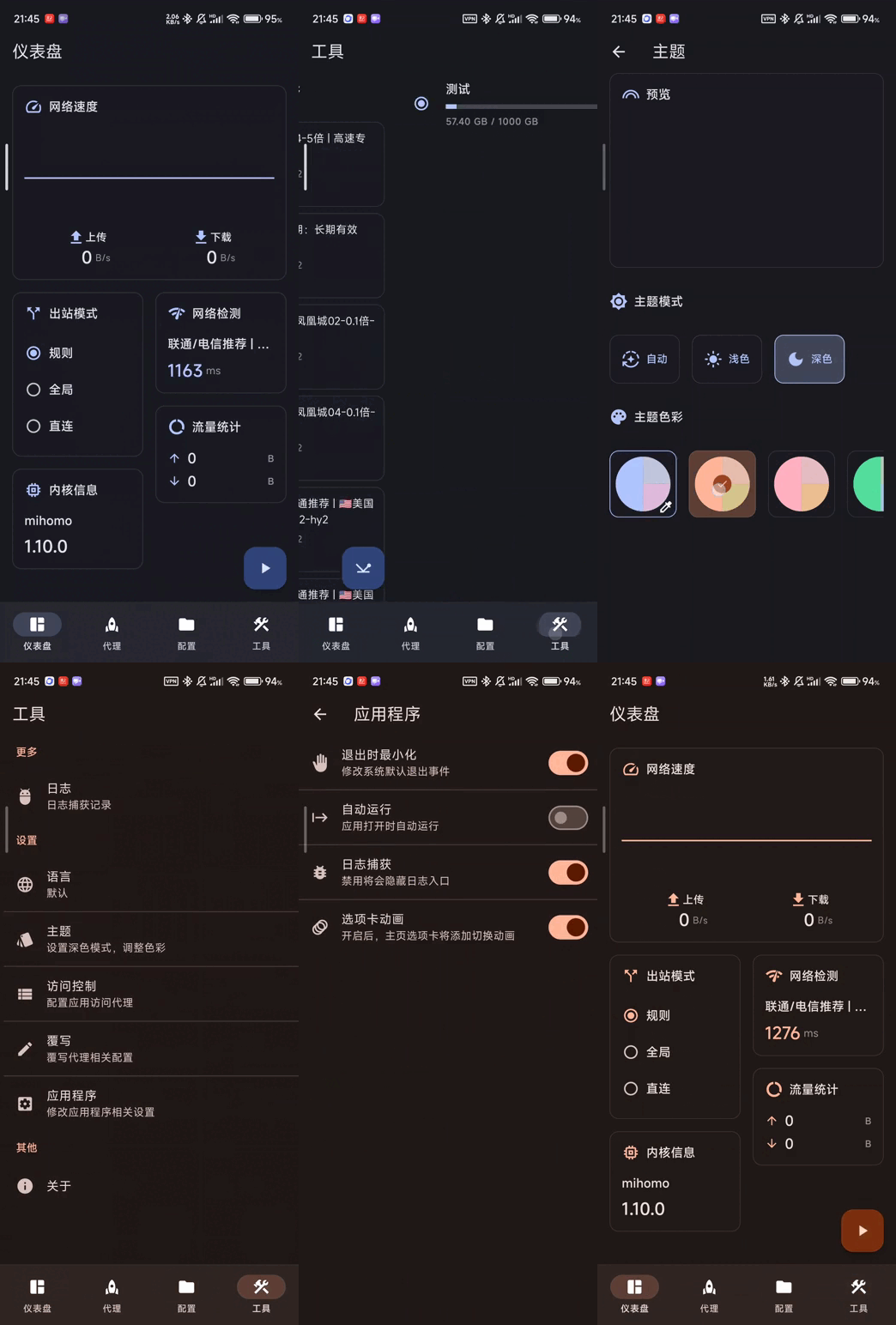
on Mobile:
<p style="text-align: center;">
    <img alt="mobile" src="snapshots/mobile.gif">
</p>

## Features

✈️ 多平台: Android, Windows, macOS and Linux

💻 自适应多个屏幕尺寸,多种颜色主题可供选择

💡 基本 Material You 设计, 类[Surfboard](https://github.com/getsurfboard/surfboard)用户界面

☁️ 支持通过WebDAV同步数据

✨ 支持一键导入订阅, 深色模式

## Use

### Linux

⚠️ 使用前请确保安装以下依赖

   ```bash
    sudo apt-get install libayatana-appindicator3-dev
    sudo apt-get install libkeybinder-3.0-dev
   ```

### Android

支持下列操作

   ```bash
    com.follow.clash.action.START
    
    com.follow.clash.action.STOP
    
    com.follow.clash.action.TOGGLE
   ```

## Download

<a href="https://chen08209.github.io/FlClash-fdroid-repo/repo?fingerprint=789D6D32668712EF7672F9E58DEEB15FBD6DCEEC5AE7A4371EA72F2AAE8A12FD"><img alt="Get it on F-Droid" src="snapshots/get-it-on-fdroid.svg" width="200px"/></a> <a href="https://github.com/chen08209/FlClash/releases"><img alt="Get it on GitHub" src="snapshots/get-it-on-github.svg" width="200px"/></a>

## Build

1. 更新 submodules
   ```bash
   git submodule update --init --recursive
   ```

2. 安装 `Flutter` 以及 `Golang` 环境

3. 构建应用

    - android

        1. 安装  `Android SDK` ,  `Android NDK`

        2. 设置 `ANDROID_NDK` 环境变量

        3. 运行构建脚本

           ```bash
           dart setup.dart android
           ```

    - windows

        1. 你需要一个windows客户端

        2. 安装 `GCC`，`Inno Setup`

        3. 运行构建脚本

           ```bash
           dart setup.dart windows
           ```

    - linux

        1. 你需要一个linux客户端

        2. 依赖会由 setup 脚本自动安装，也可以手动安装：
           ```bash
           sudo apt-get install -y libayatana-appindicator3-dev libkeybinder-3.0-dev
           ```

        3. 运行构建脚本

           ```bash
           dart setup.dart linux
           ```

    - macOS

        1. 你需要一个macOS客户端

        2. 运行构建脚本

           ```bash
           dart setup.dart macos
           ```

## Star

支持开发者的最简单方式是点击页面顶部的星标（⭐）。

<p style="text-align: center;">
    <a href="https://api.star-history.com/svg?repos=chen08209/FlClash&Date">
        <img alt="start" width=50% src="https://api.star-history.com/svg?repos=chen08209/FlClash&Date"/>
    </a>
</p>
